

How do I make the proxy respect the bypass on common websites and only activate it on specific websites while respecting your identity? How do I reverse the process, switching from only websites without a proxy to only websites with a proxy?
Hey friends, how’s it going? Programmer here. Let’s take a look at FoxyProxy, which does exactly what I proposed in the title: make the proxy work only on specific websites. But FoxyProxy is much more than that.
The problem: normal proxies in browsers like Firefox have an open-to-closed proxy rule. In other words, you apply a general proxy and only exclude the sites you don’t want to go through the proxy. In terms of privacy, it’s good to have something like that, but if you put it into practice, the number of sites that check your IP, identity, sudden location changes and give you temporary blocks because of it, like Instagram, Facebook, WhatsApp Web, is countless. So the ideal is to leave the network open to these sites and only block where your privacy is most at risk.
Another point that led me to do this was my coordinated multi-proxy system (which I’ll bring to you soon). This system identifies the website passing through my proxy server and defines its exit route. So, for example, if I need to access an onion or i2p site in Firefox, after removing the access restriction, my proxy creates the route and I can browse both on the surface web with a proxy, and on onion, i2p, and the surface web without a proxy without consuming more memory or constantly switching browsers and sessions (and if privacy concerns you: noscript + private session).
But let’s get to the point. FoxyProxy is an extension available for Chrome and Firefox. Remember that everyone using the Chrome v8 engine (like Chromium and derivatives) can use Chrome extensions (and lament their lost privacy).
The configuration is very fluid; just add your proxy accounts (or local onion accounts), thus creating a “sector” in FoxyProxy.
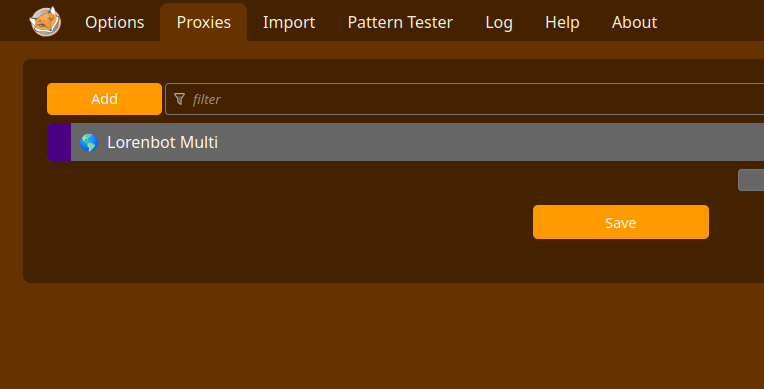
In the proxy editing section, if you want to shorten the path, you can add some “patterns” which are websites that will pass through this proxy route, but you don’t need to worry about that now.
If you prefer, when you are on the website, you can click on the FoxyProxy icon in the navigation bar and add it to the “include host” field, selecting the host that this website will be proxyed to.
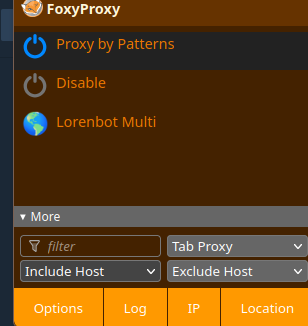
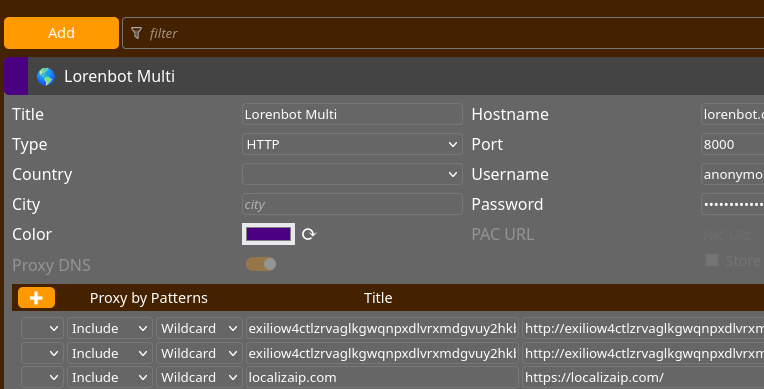
In this case, I even added localizaip.com to check if the connection was working correctly.
Simple, right guys?
Remember that I sell proxy mentoring and individual proxy accounts if needed, but you can even use your local onion proxy or proxies opened in your browser to make this work. And the best part: without needing to change browsers!
Bonus: This isn’t entirely secure, but if you want to enable onion outgoings in Firefox (having the previous proxy, of course), just go to the navigation bar, type about:config, search for onion and change these settings below:
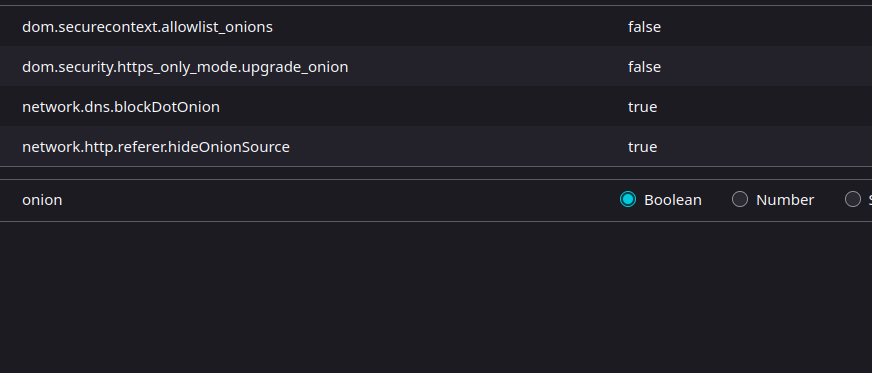
Normally, setting blockDotOnion to false already gives you access to everything. Be careful with privacy; go for an incognito tab and at least noscript.
I hope this tip was helpful. I’ll leave it at that for now, the work doesn’t stop! Cheers and thanks!




More Stories
US authorities reportedly investigate claims that Meta can read encrypted WhatsApp messages
Codeberg – Alternative to Github
Frets on Fire – how to play on Windows